Video passthrough
Hardware video path, input format detection and automatic recovery after hotplug or resolution changes.

TVI · TV Insert
TVI is a compact 3G-SDI video inserter that overlays clocks, timers and timecode onto a pass-through video signal. The video path remains in hardware, while every overlay detail is controlled from a lightweight web dashboard. Video in, video out, timing over video.
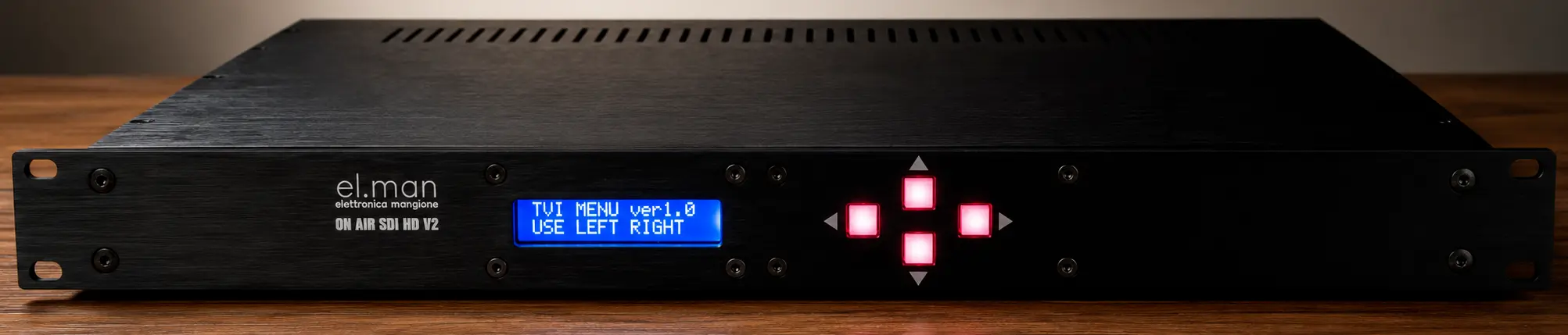
TVI - TV Insert, front view
Hardware video path, separate OSD
Many software overlays re-encode or retransmit the video. TVI keeps the signal on the system's hardware path and renders the OSD on a separate plane. The result is a low-latency solution that is easy to control and designed for continuous operation in control rooms, studios, live events and technical installations.
Clock, timer, countdown, up-counter and timecode can be positioned and customized without interrupting the program. If the format changes, a hotplug occurs or temporary instability is detected, dedicated watchdogs automatically rebuild video, audio and overlay services.
Key features
Hardware video path, input format detection and automatic recovery after hotplug or resolution changes.
Digital, analog or flip clock with optional date and label, plus adjustable font, color, background, opacity, size and position.
LTC decoding with automatic FPS detection, forward/reverse, drop-frame, color-frame and user bits, plus NTP fallback if lock is lost.
Web dashboard, HTTP API and UDP commands for integrating TVI with browsers, touch panels, automation and control-room systems.
Video demonstration
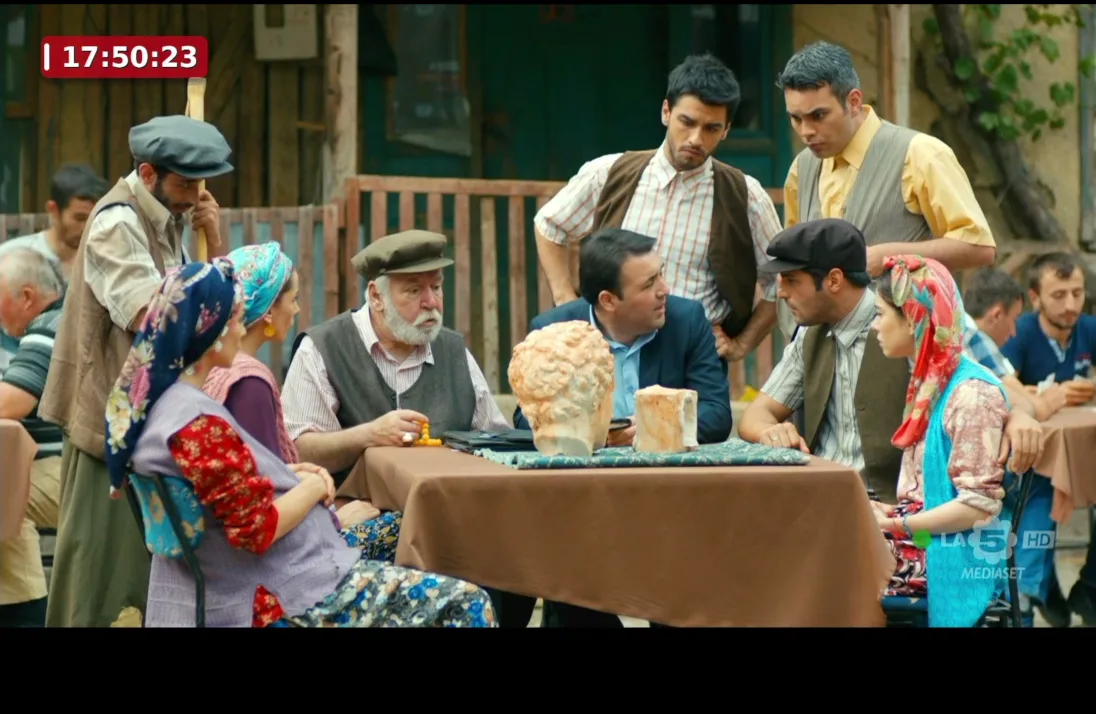
Two real examples show the clock and timecode overlaid on program video.
Time displayed over the video with a high-contrast background and continuous updates during playback.
A complete time reference including frames, designed for production, technical monitoring and operational synchronization.
Dashboard web
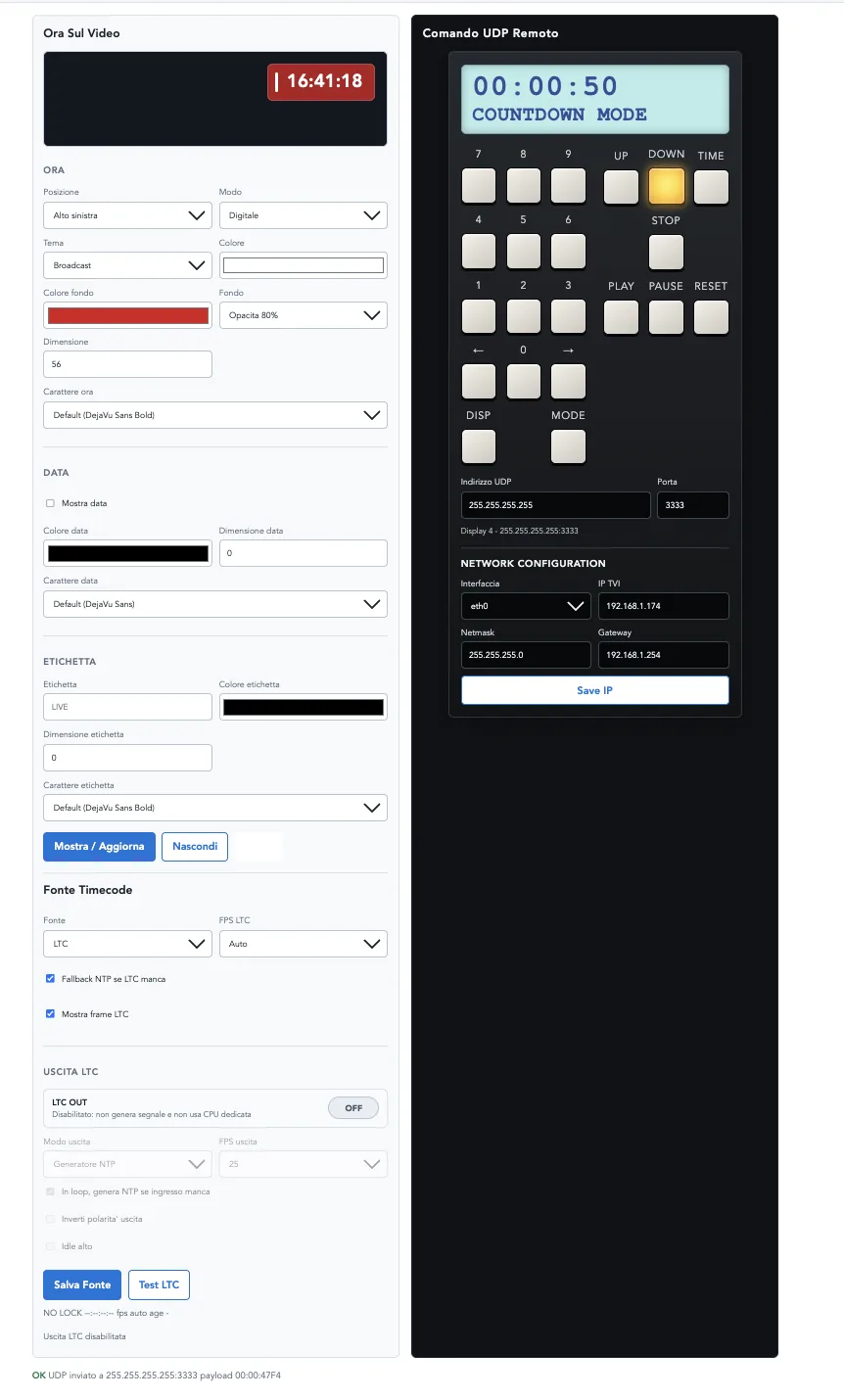
From a browser, you can control OSD visibility, style, position and content in real time. The panel also includes NTP/LTC source selection, LTC testing, network configuration and UDP remote control for timers and displays.
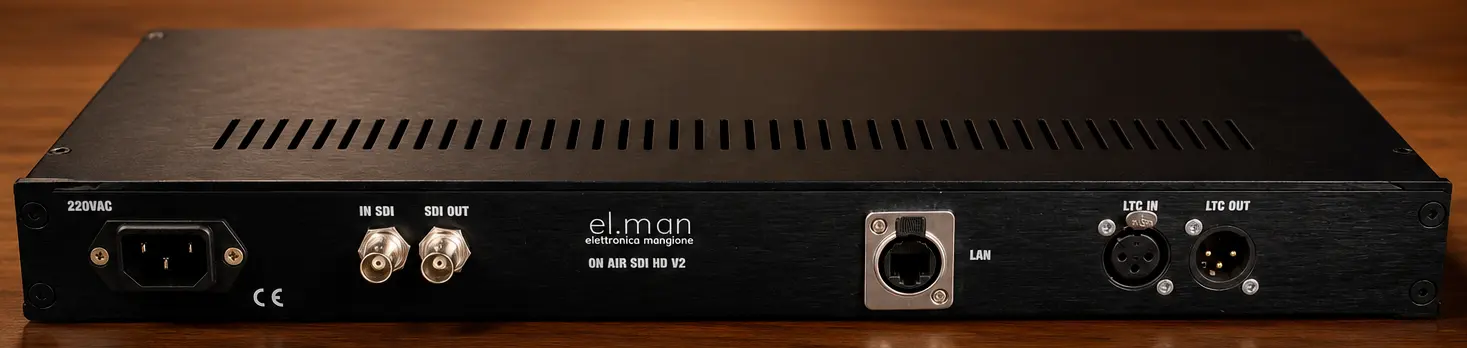
The device
Technical specifications
The reference software platform runs on high-performance embedded hardware, with independent services for video, OSD, audio and control.
High-performance embedded solution
Ubuntu 24.04
3G-SDI video input and output with clock, timer and timecode overlay
576i50, 720p50/59.94, 1080i50/59.94, 1080p23.98/25/29.97/50/59.94
Separate BGRA renderer on the video plane through GStreamer
NTP/system clock, SMPTE LTC input and optional GPIO LTC output
HTTP dashboard on port 8000, FastAPI API and remote UDP commands
Local persistence in settings.json and environment variables
Applications
Clock and timecode always visible on the program monitor.
Controllable countdowns and timers during live productions and streaming.
Continuous time reference with automatic recovery.
Technical monitoring of signals, timecode and video formats.
Frequently asked questions
If your question is not here, send it to us directly: the people who design the product will answer.
TVI can display a digital or analog clock, flip clock, date, labels, timers, countdown, up-counter and timecode.
TVI can be configured through a web dashboard on the local network, via HTTP API or through UDP commands compatible with remote devices.
TVI uses the NTP-synchronized system clock or an SMPTE LTC signal, with automatic FPS detection and NTP fallback if LTC lock is lost.
Dedicated watchdogs monitor video, output, audio and memory, automatically rebuilding the required services after a format change or hotplug event.
Bring TVI into your workflow
Tell us about your system and we will help you identify the most suitable configuration and integration.